
How to stop a render
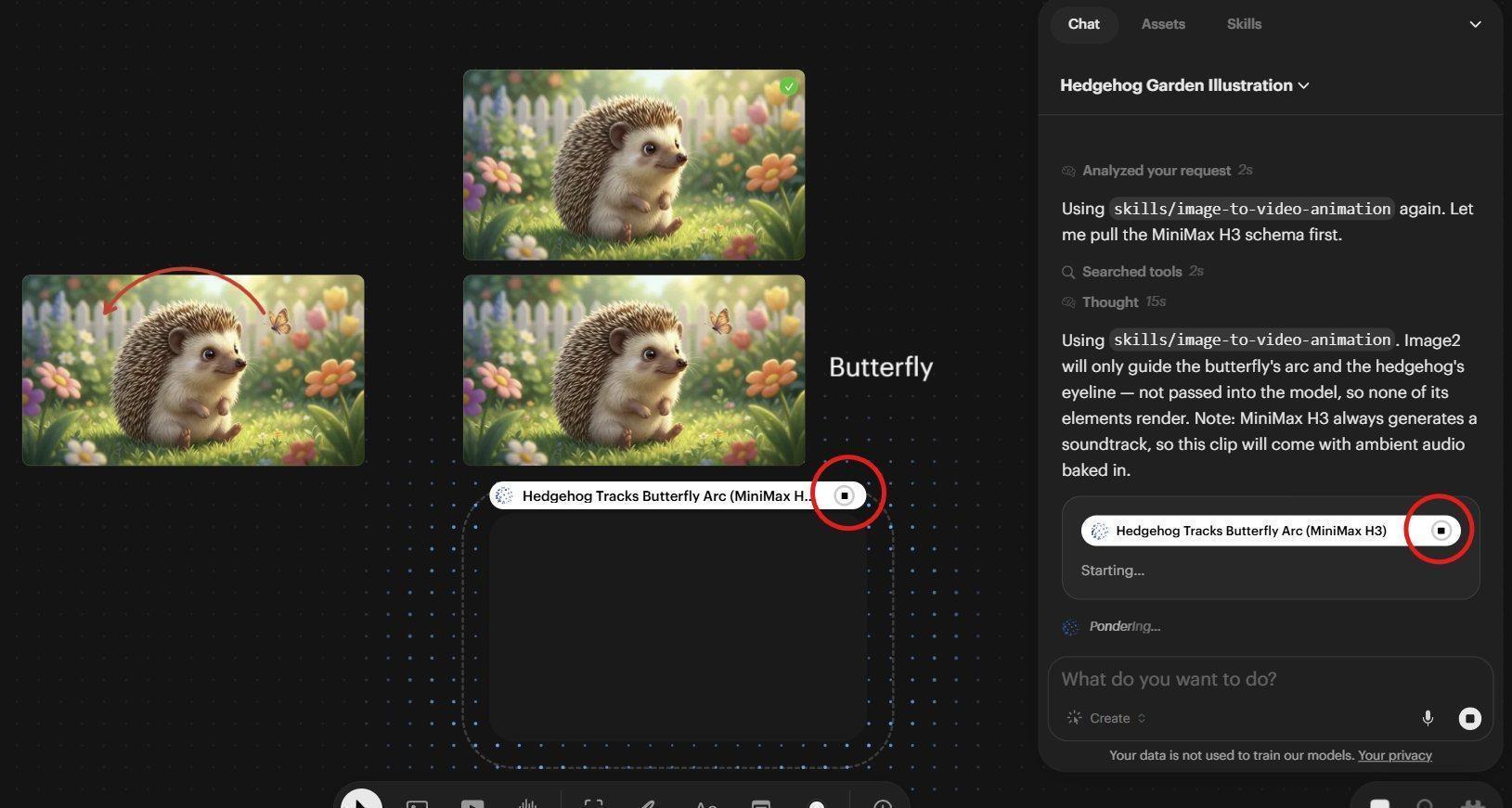
The stop button appears in multiple places while an Agent job is running
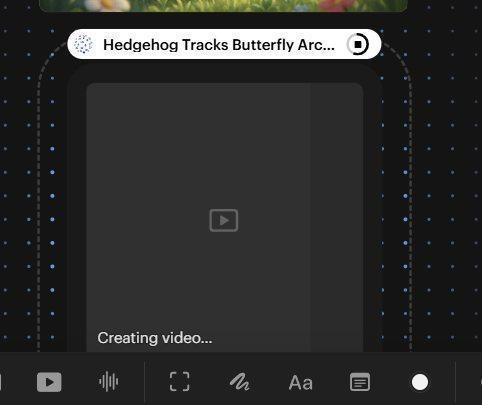
A closer look at the Stop button and progress bar on a generation in progress
You will notice over the video being rendered and in the chat window, a white bar appears with a circle on the right hand side. The circle has a black square in it. This is the job Stop button. If you suddenly realise you have used the wrong image, or the wrong aspect ratio, or the Prompt is wrong, you can hit this and stop the job.
However, once the Agent has figured out what kind of job to run and the job has been sent to the servers, the blank area where the image will appear will now have a progress bar filling that grey area and moving towards the right. It will also say Creating Video. Once these indicators appear, you can still cancel the job and keep it from appearing on the Canvas, but you might as well let it finish because you will be spending the credits regardless - it may end up being great! If you catch it before these indicators show up, only a few credits will be spent.