
How to delete your Luma account
You can permanently delete your Luma account at any time from the Account page in the Luma app. Here's how.
Before you start: account deletion is permanent. Your subscription ends immediately, any remaining credits are forfeited, and your profile, boards, and all other account data are permanently deleted. We can't restore an account once it's been deleted.
Step 1: Open your Account settings
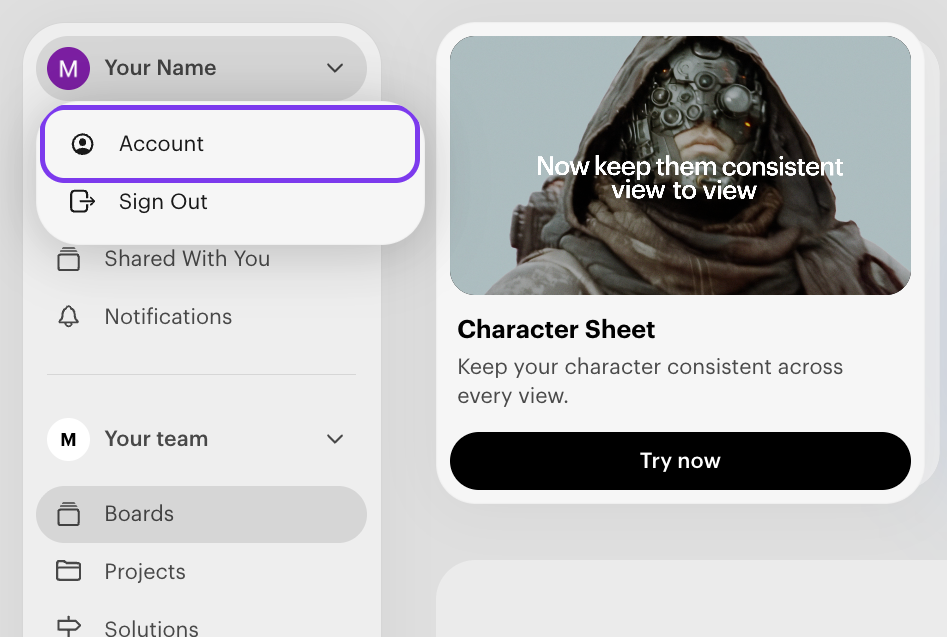
Sign in to your Luma app account. In the top-left corner, click your name, then select Account.
Step 2: Click Delete Account
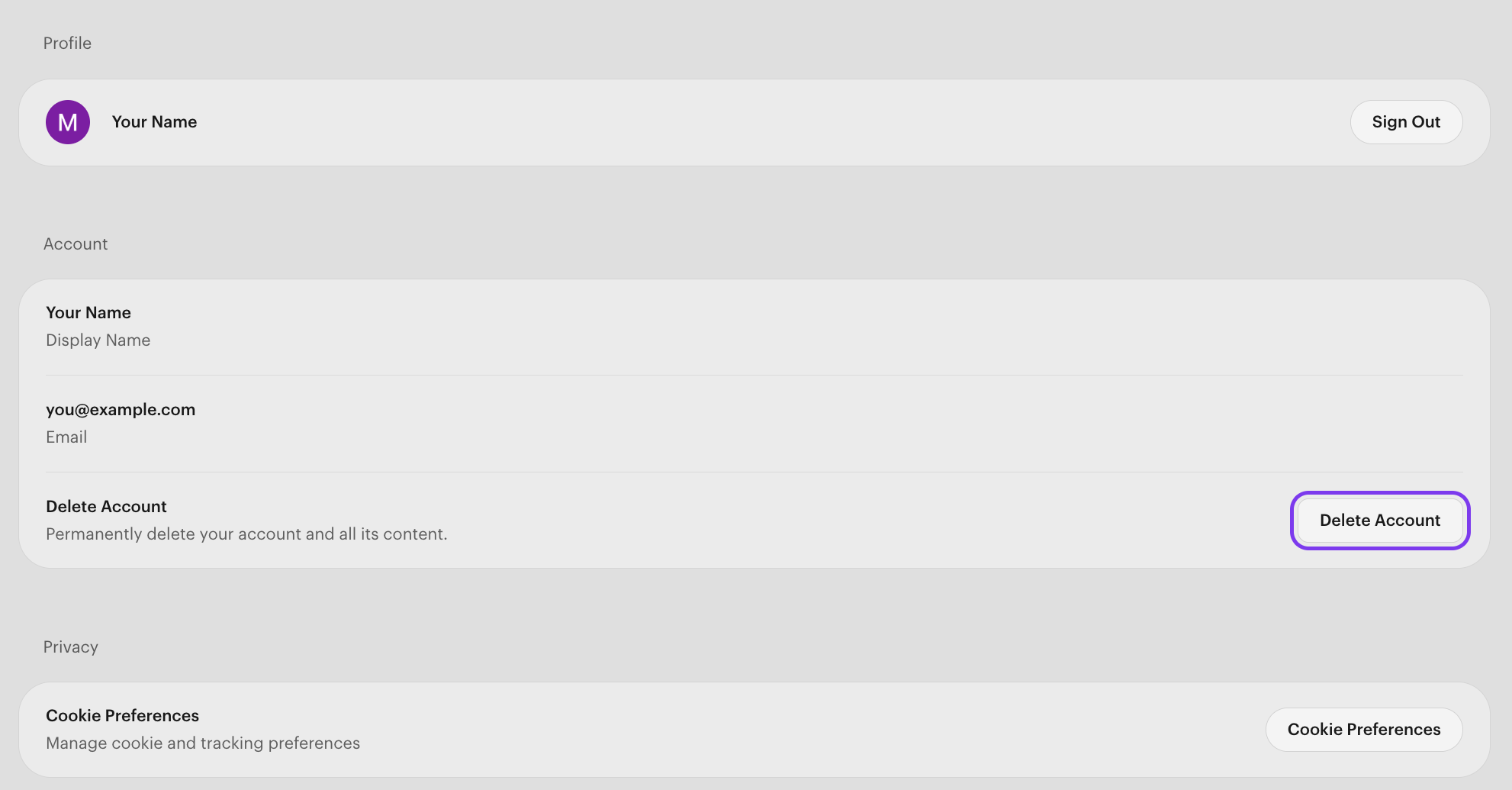
On the Account page, find Delete Account in the Account section and click the Delete Account button on the right.
Step 3: Confirm the deletion
An Account Deletion window appears. Type the email address associated with your Luma account into the field, then click Delete Everything. The button stays disabled until the email you type matches your account.
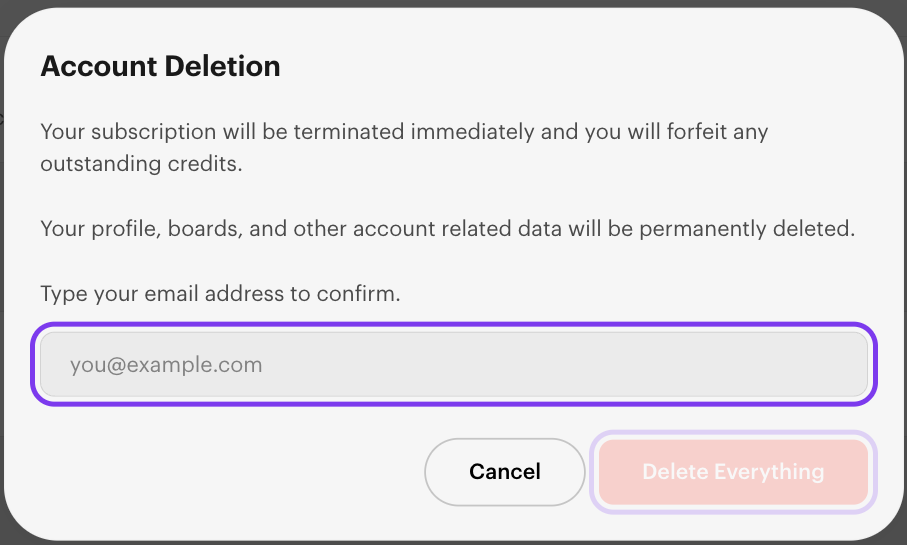
Changed your mind? Click Cancel to close the window without deleting anything.